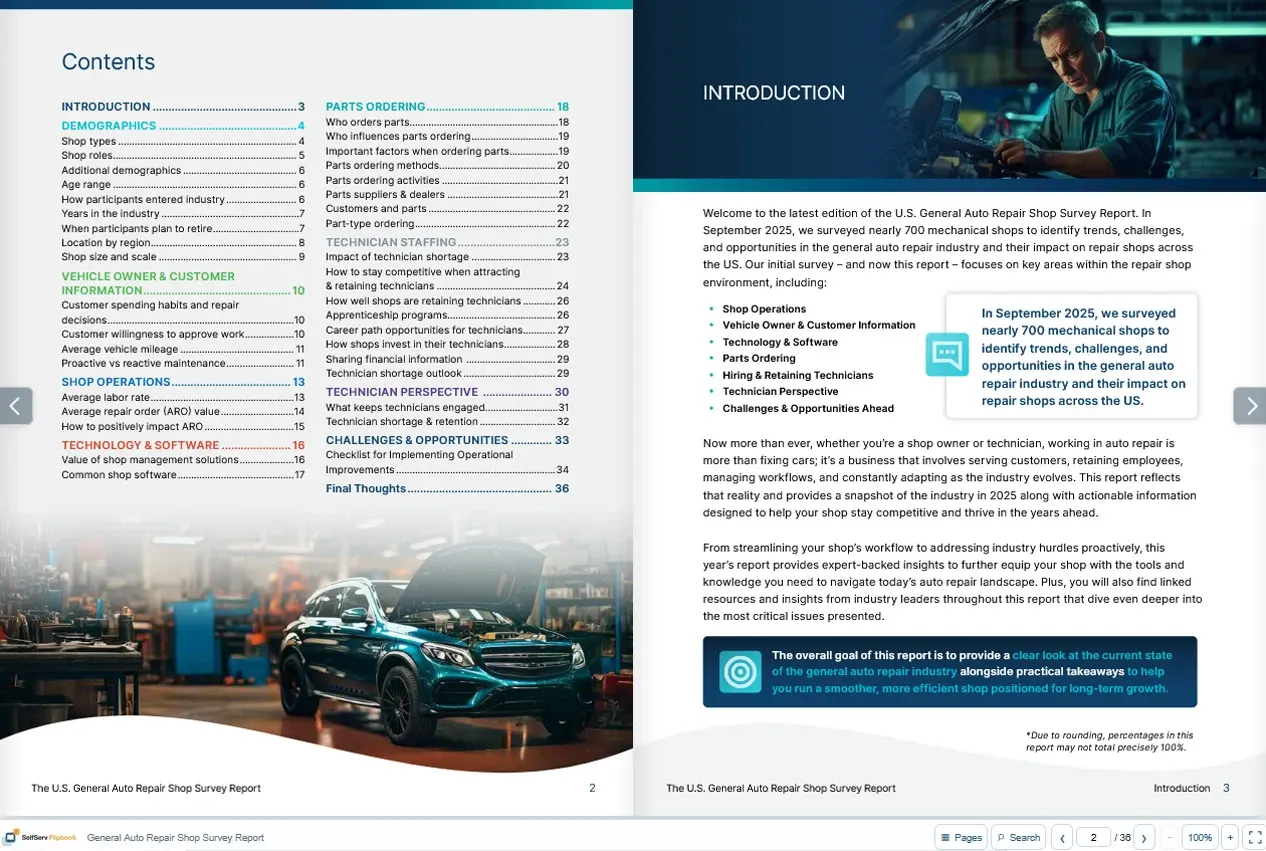
Build the issue
Drop in one PDF or several. Arrange the pages in reading order and add your magazine’s logo.
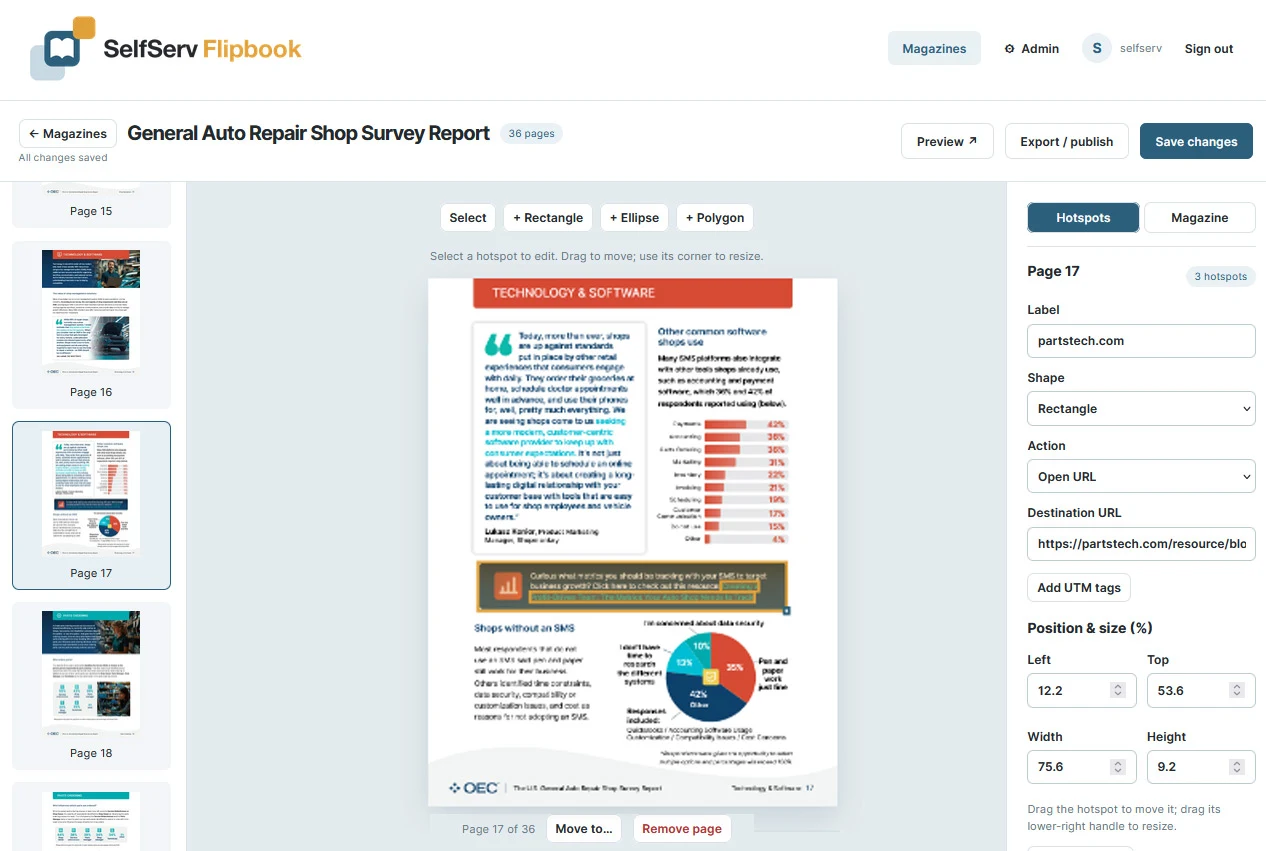
Inside the builder
Drop in one PDF or several. Arrange the pages in reading order and add your magazine’s logo.
Draw over an ad or product. Add a website, email address, page jump, video or form right where readers need it.
Download the finished flipbook as a standalone ZIP and upload it to your own website. Share its URL or QR code.
Beyond the page
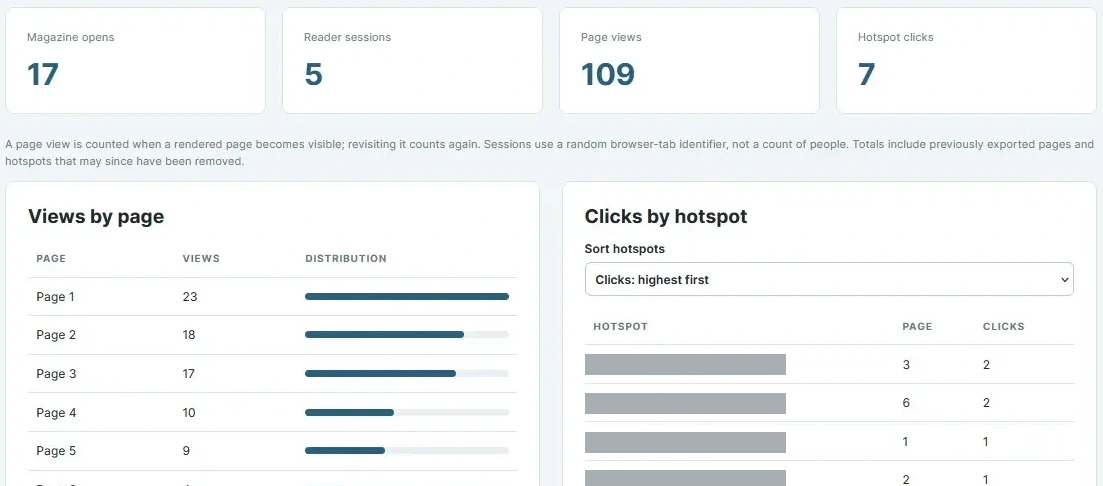
Publication analytics
See how many times readers viewed each page and how many clicks each ad on that page received. If page 12 has three ad hotspots, the report shows a separate click count for each one. Search by advertiser or URL across issues, choose a date range and export the results to Excel.
The full Builder lets you assemble magazines, add interactive hotspots, publish or export finished flipbooks, and download analytics reports.
Yes. In the interactive demo, you can add a PDF, draw hotspots and preview the reader. Publishing, exporting and analytics reports are available with the paid plan.
Yes. Import one or more PDFs, then drag pages into the order you want. If you add a table-of-contents hotspot, its link follows the target page when you move it.
Draw a hotspot over a product, ad or illustration. It can open a website, start an email, jump to another page, or display an embeddable video or form. Existing PDF links can also be imported and edited.
The reader shows one page at a time on a phone. On desktop, the front cover opens into two-page spreads. Readers can zoom in for a closer look.
Yes. Download the standalone ZIP, unpack it and upload its contents to your web host. Readers can open the publication without a Builder login. Already exported flipbooks remain readable if your subscription ends.
See how many times each page was viewed and how many clicks each ad hotspot on that page received. Search an advertiser’s name or URL across issues, choose a date range and export the results as a styled Excel workbook.
SelfServ Flipbook
Build, export and track your publications.
$50 / month
Order NowWant to try it first? Explore the interactive demo. Publishing, downloads and reports are available in the full version.